
Download a free invoice template in Word or PDF and bill clients without invoicing software. There are two designs, Classic and Modern, and each comes pre-filled with sample details for a fictional business, Harbor Light Design LLC, so you can see what goes where before entering your own. Use the Word file to edit, then send or print a finished copy as a PDF.
Free invoice templates to download
Classic
A formal, structured layout in navy that suits consultants, contractors and established small businesses billing business clients.
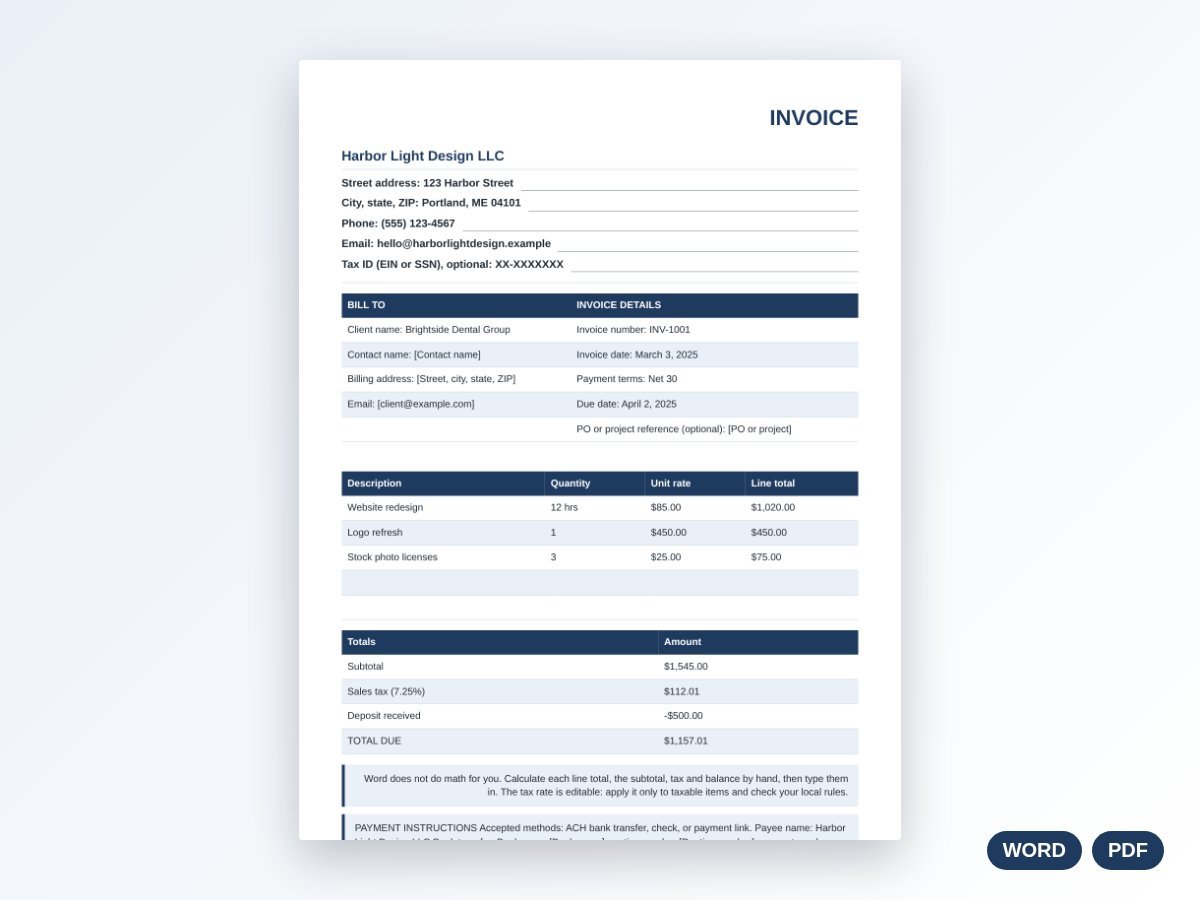
Free download: Download Word (.docx) · Download PDF
Modern
A clean, friendly layout in teal for freelancers, creatives and side businesses that want a lighter look.
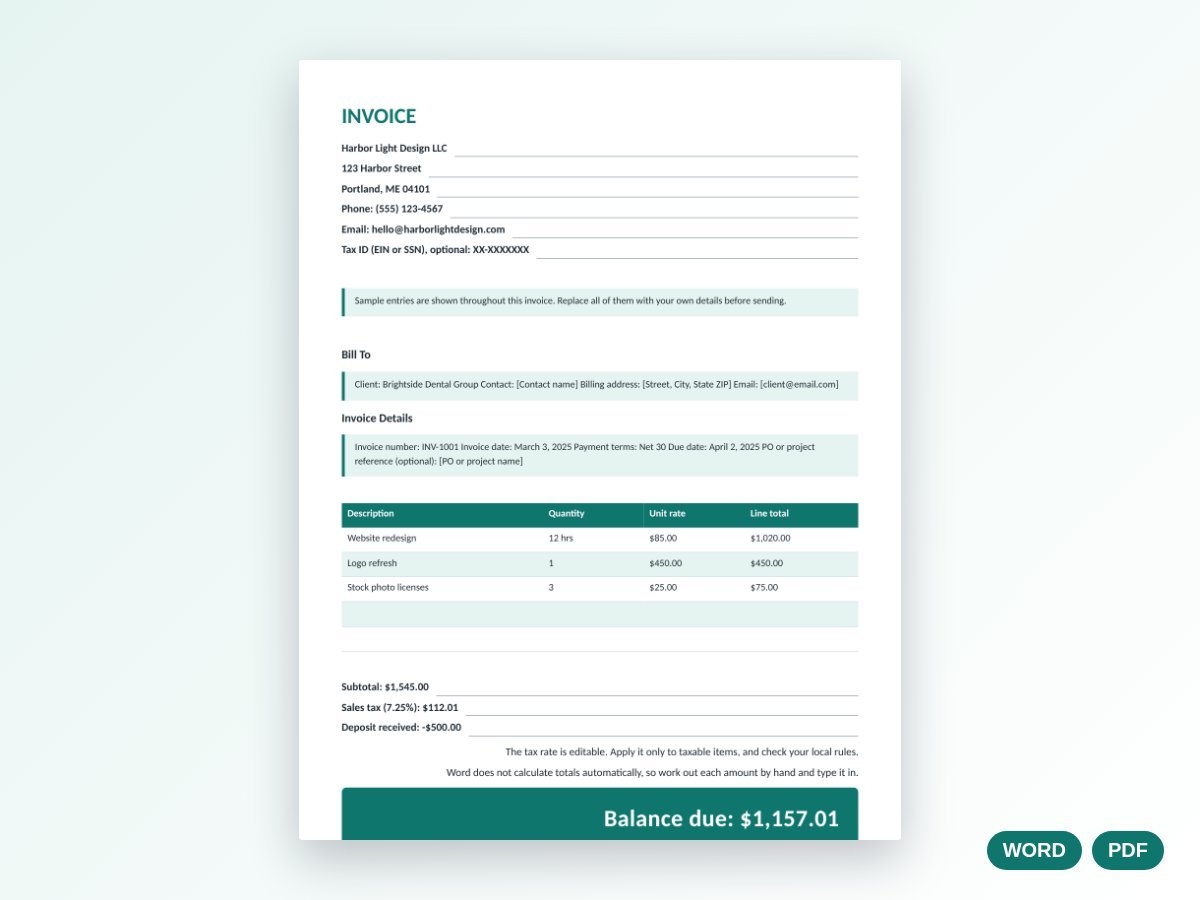
Free download: Download Word (.docx) · Download PDF
What is included in this invoice template
Both designs open with an "Invoice" title, then your business name, address, phone, email and an optional Tax ID (EIN or SSN) field. Next comes a line-item table with Description, Quantity, Unit rate and Line total columns.
Classic is a formal navy layout for consultants, contractors and established small businesses. It has a Bill To and Invoice Details table, the line-item table and a Totals and Amount table at the bottom.
Modern is a lighter teal layout for freelancers, creatives and side businesses. It shows a worked example of how the numbers fit together: a subtotal of $1,545.00, sales tax at 7.25% of $112.01, a deposit received of -$500.00 and a balance due of $1,157.01. It also has Payment Instructions and Notes and Terms sections.
Delete any line you do not need, such as the Tax ID or the deposit.
How to fill it in
- Replace the sample details. Put your own business and client information in place of the Harbor Light Design sample. Add your EIN or SSN only if you want it shown. The IRS asks for a TIN on tax returns, not on invoices.
- Number each invoice. Give every invoice its own number, such as INV-1001, INV-1002 and so on.
- Set the dates and terms. Enter the invoice date and a due date. Many small businesses use Net 14 or Net 30 terms, or you can write "Due on receipt."
- List the work. Enter each item with its quantity, unit rate and line total. The Word file does not calculate, so do the math by hand or with a calculator and check it before sending.
- Add tax only where it applies. Charge sales tax only on taxable items. Rates vary by location, so confirm yours with your state or an accountant.
- Be specific about payment. In the Modern design's Payment Instructions, list the methods you accept, the payee name, where to mail a check and any payment link. Notes and Terms is a good place for late-payment wording or a thank-you line.
- Send a PDF. Save the finished invoice as a PDF before emailing it so the layout stays fixed.
Tips for getting paid and keeping records
No federal rule requires a particular invoice layout. According to IRS Publication 583, the law generally does not require a specific kind of record, as long as your records clearly show income and expenses. These templates give you a practical format. They are not tax or legal advice.
Keep a copy of every invoice you send. The same publication lists invoices among the supporting documents a business should keep and notes that proof of payment alone does not establish a deduction. How long to keep them depends on your situation. The general periods are 3 years after filing, 6 years if unreported income exceeds 25% of gross income, and no limit for a fraudulent or unfiled return. An accountant can tell you what applies to you.
For progress billing, use Modern's deposit line to show what the client has already paid and the balance due line for what remains.
An invoice asks for payment, while a receipt confirms payment received. Once the client pays, you can send a receipt such as our sales receipt template or another design from our receipt templates.
These are one-off files and do not set up recurring invoices. If you bill often, invoicing software may save you time.
Common questions
Can I edit the invoice?
Yes. The Word file is editable. Use the PDF to send or print a finished invoice.
Do I need a Form W-9 from my client?
Not for the invoice itself. If you pay a non-employee $600 or more for services, you may need to report it on Form 1099-NEC. A payer uses Form W-9 to collect the payee's SSN or EIN. Check with an accountant about your own case.
Does an invoice need sequential numbers?
The IRS publication does not require them. Unique numbers do make your invoices much easier to track and match to payments.

Pingback: Grocery Price List Template for Word (Free) + Sample List